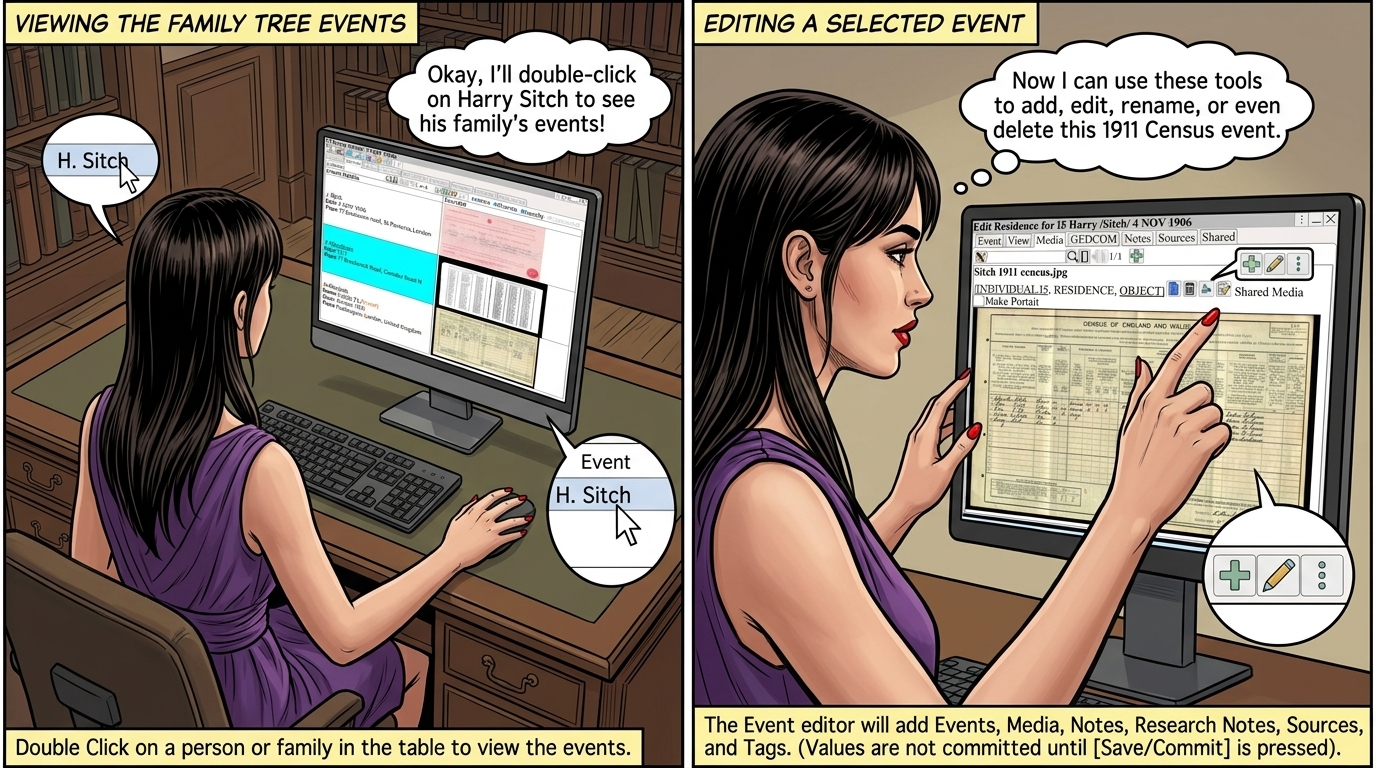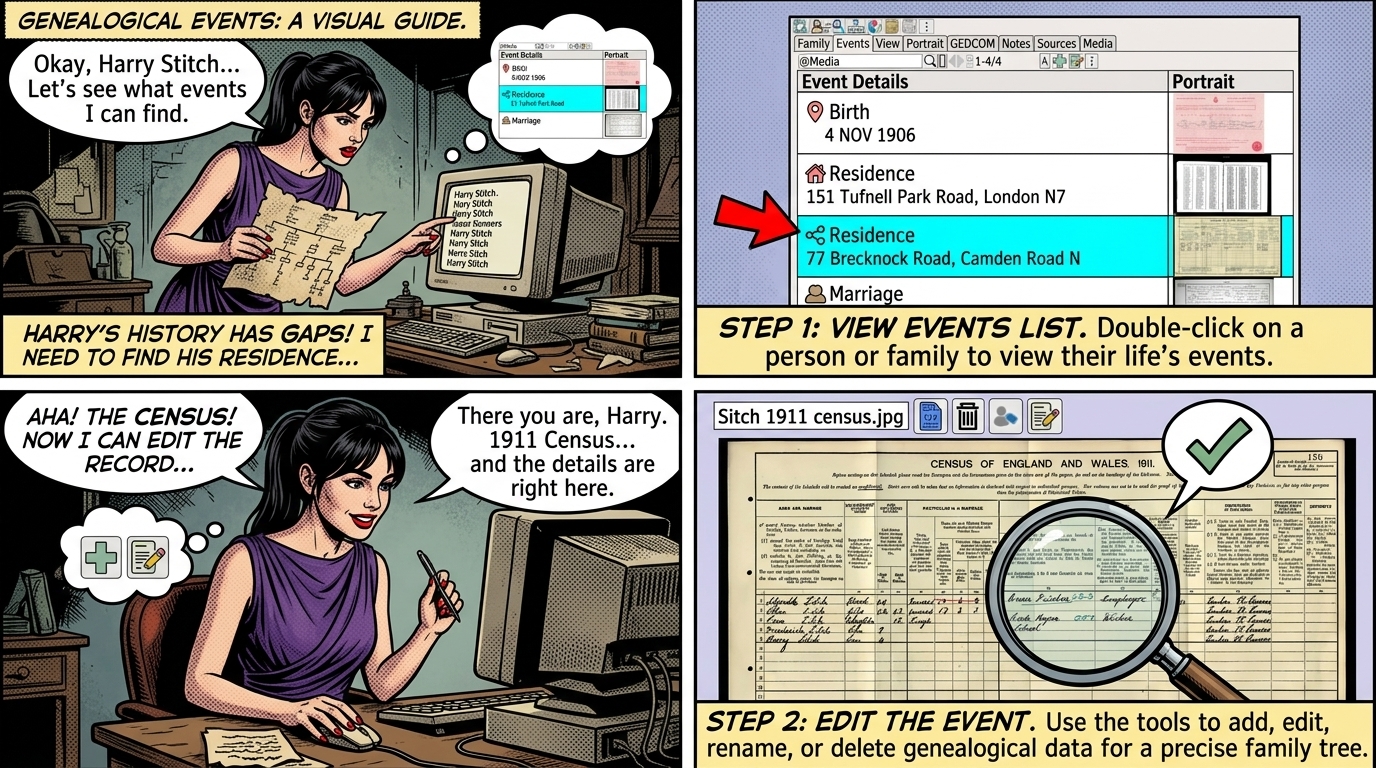
Double Click on a person or family in the table to view the events.
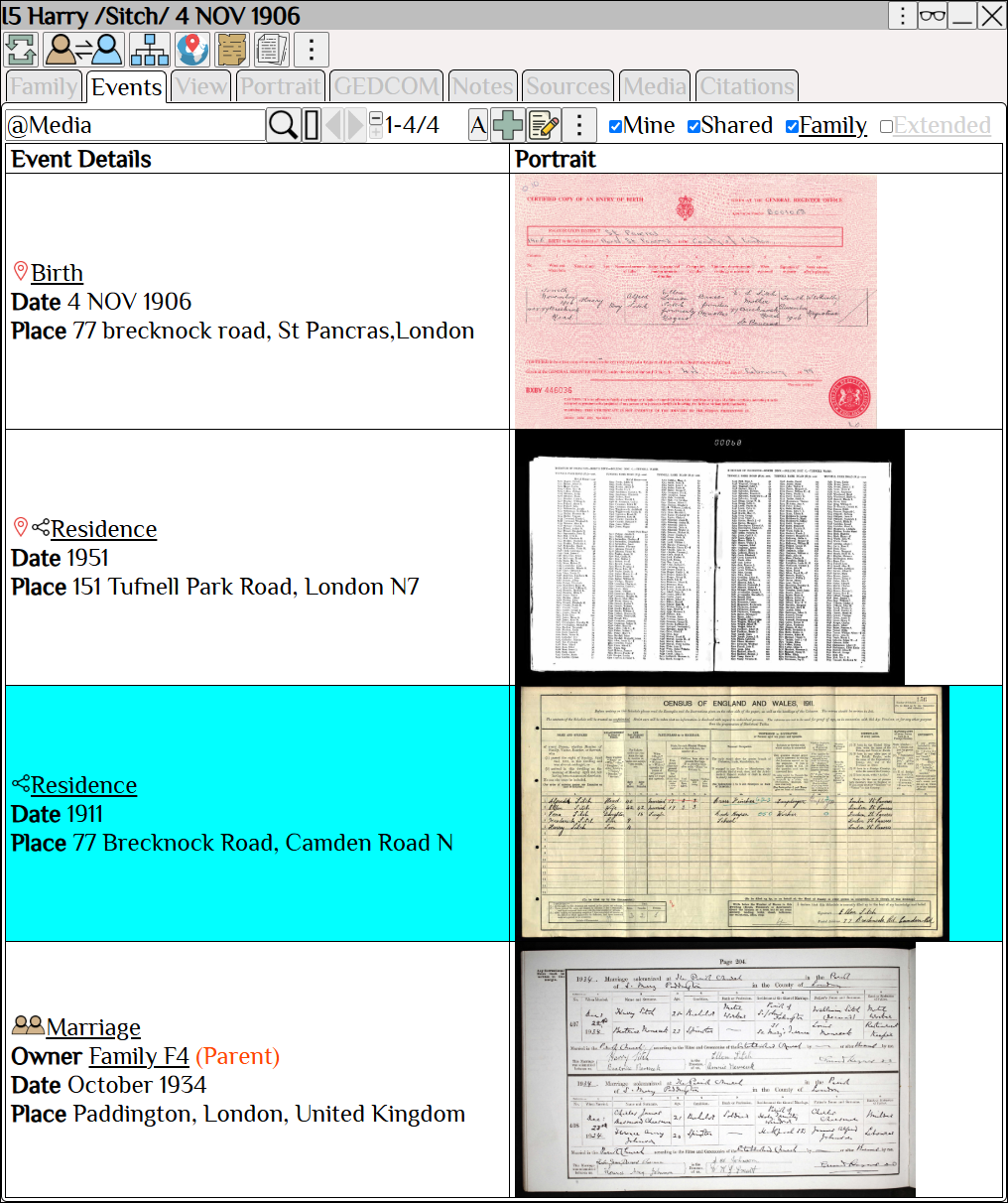
| Add an event. | |
| Edit the selected event. | |
| View tools for the selected event (Rename or Delete event). |
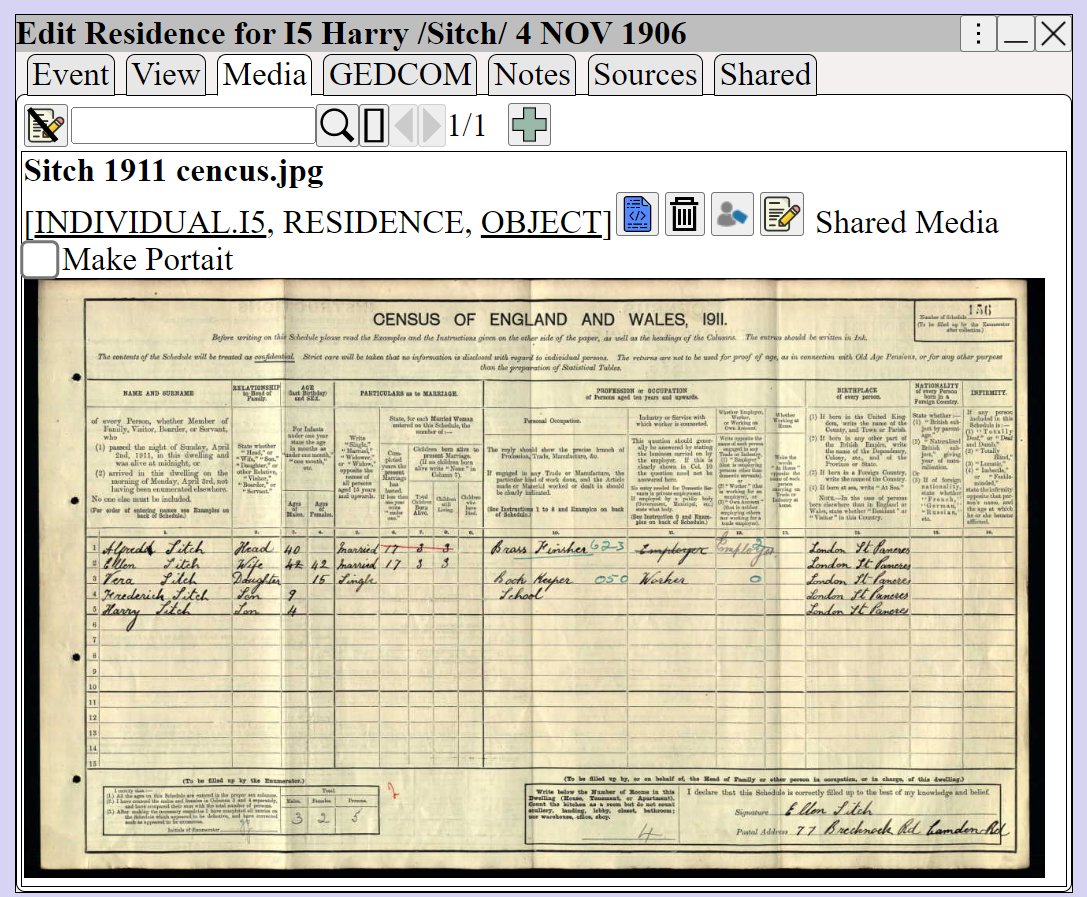
The Event editor will add Events, Media, Notes, Research Notes, Sources, and Tags.
• Values are not committed to the GEDCOM database until is pressed
• The changes can be reviewed and backed out in ⟶ Tools ⟶ Session Log
| Dock other windows. top-right of window ⟶ Restore the view using Fade other windows. top-right of window ⟶ Restore the view using Hide window content top-right of window ⟶ Restore the content using If a button opens a window, press Shift + button to focus the new window and fade other windows Move the window by dragging on the title bar. If the title bar is not visible move the window by holding down Shift and dragging on the background. Right-click to display the context menu. Right-click To resize or view an image. Right-click To change the displayed columns in a table. |