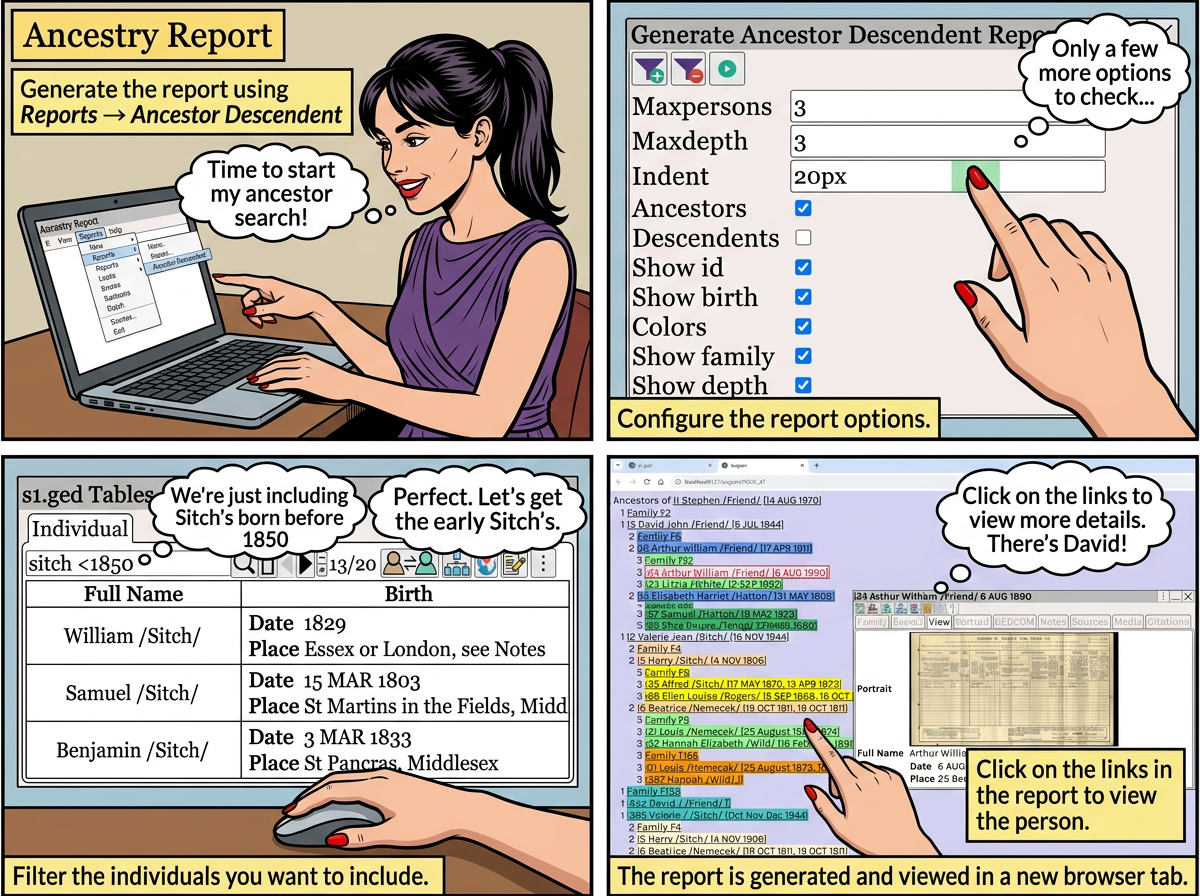
Generate the report using ⟶ Reports ⟶ Ancestor Descendent

By default, everyone is included in the report.
to filter the individuals to include in the report.
To clear the filter, and use everyone.

The table shows all the persons who will be included in the report.
(In this case, we are just including Sitch's born before 1850)
Search Help for help on searching the table.
Reports for single persons can be accessed through Person ⟶ ⟶
generates the interactive report.
The report is generated and viewed in a new browser tab.
The interactive report is displayed in a new browser tab.
Click on the links in the report to view the person.
